

Marina paperwork always takes longer than it should. Whether it's seasonal digital marina contracts, transient waivers, or service approvals, there’s always someone who forgets to sign, misses an email, or needs five reminders.
Standard eSignature platforms for marine operators only take you part of the way. They let you go paperless, but they still rely on your team to track progress, send reminders, and manage delays. When your staff handles every document step by step, those minor interruptions begin to pull attention away from the day’s real priorities.
A marina notifications system solves this problem by keeping every document in motion. They automatically follow up with customers, alerting you to delays before they become problems, and keep everything on track without requiring extra effort from your team. When signatures are processed quickly and documents remain visible, your marina operates smoothly.
Let’s explore how a notification system, built specifically for marine operators and powered by DockMaster, can turn eSignatures into a seamless, automated part of your workflow.
The Problem With Traditional eSignatures
Most marina teams use digital signatures to avoid the hassle of printing, scanning, and emailing documents back and forth. But even with those benefits, the process slows down when the platform doesn’t follow up or flag inaction.
Maybe a customer forgets to open the email. Perhaps a technician never gets around to signing off on a completed work order. Or maybe someone thinks they signed but didn’t actually hit the final submit button.
Now, you’re checking status manually, sending reminder emails, and tracking responses in a spreadsheet.
Outdated eSignatures for marinas lack the functionality to nudge, remind, and track activity in real time across dozens or even hundreds of customers.
What Happens When Notifications Start Doing the Follow-Up Work for You
Marina notifications system goes beyond simply alerting you when someone hasn’t signed. It actively helps move the process forward by following up automatically. This turns your eSignature tool into something more helpful, more like a team member who follows up consistently and always knows who’s missing.
With DockMaster’s eSignature workflows, marine operators can now use notifications as part of a full automation system built specifically for the industry.
Here’s how that works in real life:
1. You Can Send Documents to Large Groups Without Repeating the Same Task
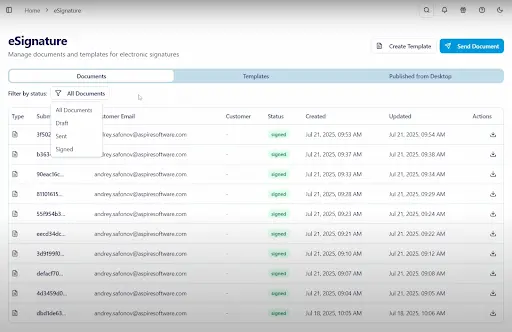
During busy seasons, your team may need to send dozens of slip renewals or waivers in a short period. If you’re still manually selecting one customer at a time or reusing old emails, the process quickly becomes tedious.
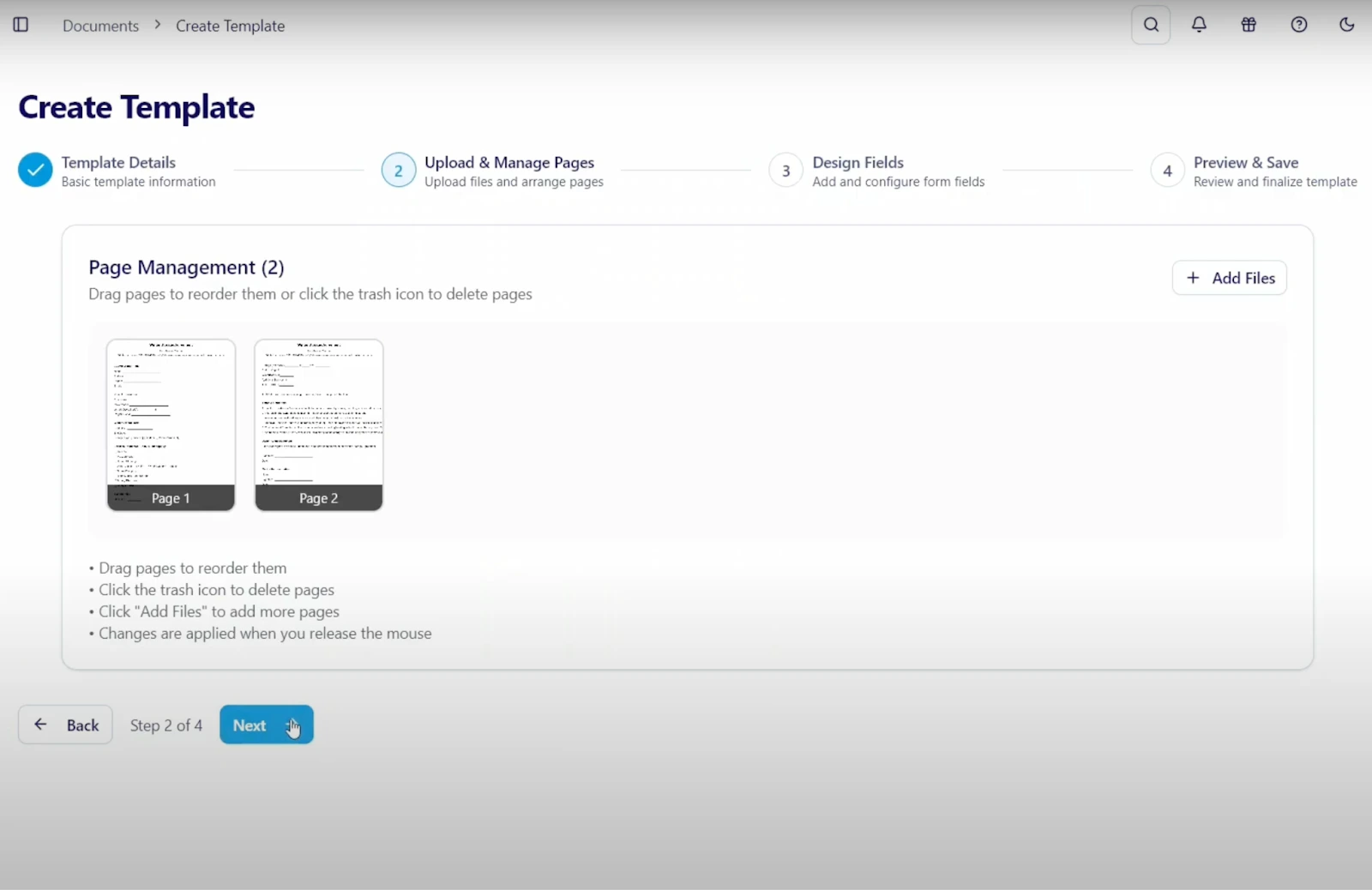
DockMaster solves this problem with a built-in group distribution system. You can select multiple customers at once and send them individual versions of the same document without copying, pasting, or re-uploading anything. Each recipient receives their own secure link to sign, and the system begins tracking their actions right away.
This feature helps you:
-
Reach returning customers with their seasonal digital marina contracts in one coordinated batch
-
Share policy changes or updated safety rules with all slip holders
-
Distribute transient dockage forms before busy weekends or events
Each customer’s response appears in the dashboard, allowing you to check progress without needing to ask your team for updates. With every signature tracked, your staff can focus on supporting guests and preparing for incoming boats, rather than checking who signed what.
2. Automated Reminders Save Time and Remove Manual Workload from Your Team
Once a document goes out, the system automatically follows up with reminders based on your timeline. Whether someone forgets to open the email or leaves the signature incomplete, DockMaster’s marina document automation keeps the process going by giving reminders.
These reminders aren’t just generic notifications. They include links to the exact document, track whether the email was opened, and help prevent documents from sitting idle. The platform also allows you to set custom schedules depending on the urgency of the document.
For example:
-
A lease renewal can receive one reminder every three days until it's completed
-
A transient waiver might receive a single follow-up message after 24 hours
-
An emergency form can trigger hourly reminders until all signatures are collected
Automated reminders reduce the need for staff intervention. When the system follows up directly, you don’t need to spend time checking status or chasing responses. That time can be used for guest support, slip assignments, or other tasks that help keep your marina running smoothly.
3. Real-Time Tracking Gives You Clear, Immediate Insight Into Every Signature Status
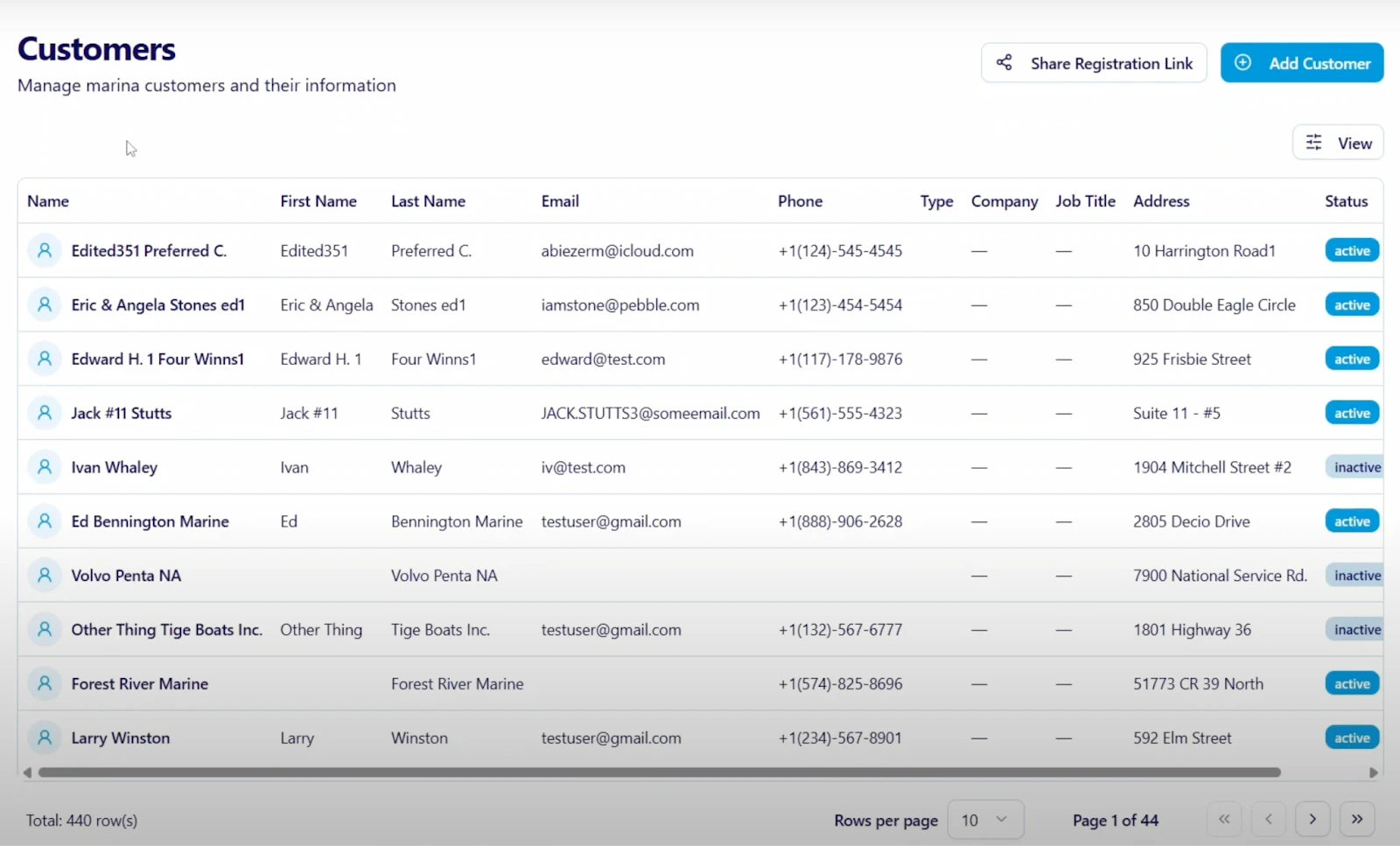
Once documents go out, you should be able to see what’s happening at every step. You shouldn’t need to ask around or dig through folders to determine if a lease has been signed or a waiver has been viewed.
DockMaster provides a real-time status dashboard that shows all actions taken on a document. The interface updates live, so you always know what’s been delivered, opened, signed, or ignored.
This lets you:
-
Confirm that a document was received and viewed
-
Check which customers signed and who still needs to respond
-
Review timelines of actions for each recipient
-
Identify incomplete tasks before they cause delays
Every signature includes a timestamp, a full record of delivery, and a linked customer record. If someone calls and asks about their paperwork, your staff can pull up the whole document history without searching across systems or emails.
4. Policy Changes and Emergency Notices Can Include Required Signature Acknowledgments
Marine operators often need to share time-sensitive updates with customers. These may involve safety policies, new access rules, or weather-related instructions. It isn’t enough to just send an email. You need to know that customers received the message, reviewed it, and acknowledged the change.
DockMaster lets you combine a marina notification system with required document acknowledgment, which means every update can include a digital signature or checkbox confirmation. You’ll know exactly who has read and accepted the information, and the records live under each customer’s profile.
Use this feature to:
-
Share hurricane season safety plans with all boaters
-
Send updated rules and regulations for dock access or fuel storage
-
Distribute new liability waivers for special events or facility changes
All responses are tracked and visible to your staff in real time. This keeps your team informed, your records accurate, and your customer communication documented.
5. Seasonal Workflows Move Faster When the System Tracks Everything for You
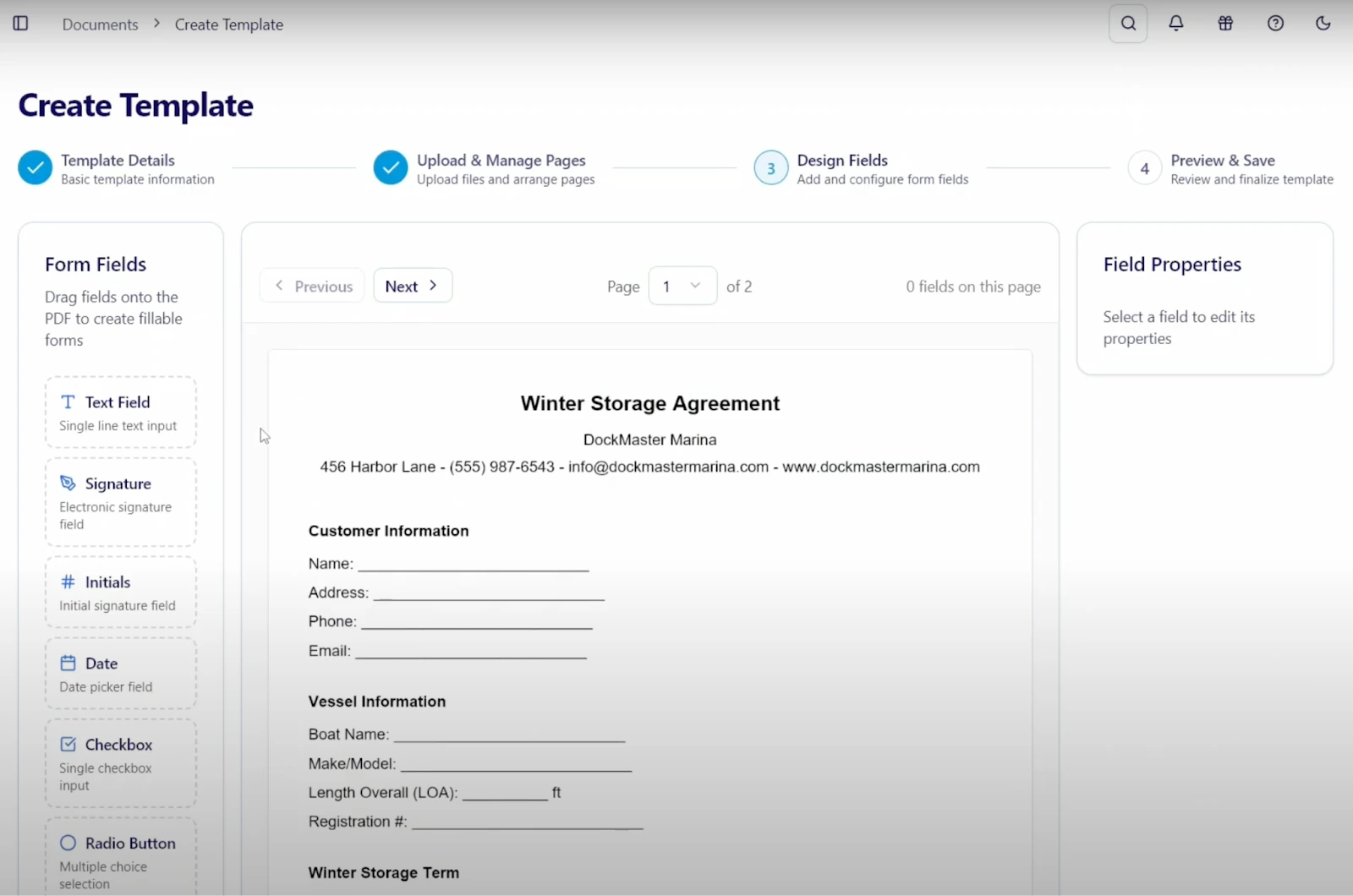
During spring and fall, your team likely prepares dozens of repeat customer contracts and service orders. These agreements often follow the same structure each year, and yet they still take time to create, send, and follow up on.
DockMaster solves this with template-driven workflows. You can create seasonal digital marina contracts once, set the required fields, and reuse the structure every time. Then, the system helps you send the documents in bulk, tracks every signature, and sends automatic reminders to customers who haven’t responded.
You can also:
-
Attach required documents, such as insurance certificates or ID verification
-
Trigger follow-up actions once the document is signed
-
Archive completed paperwork in the customer record automatically
This lets your front office focus on marina operations while the system handles paperwork in the background.
6. Transient Boaters Can Sign From Their Phone Without Logins or Extra Steps
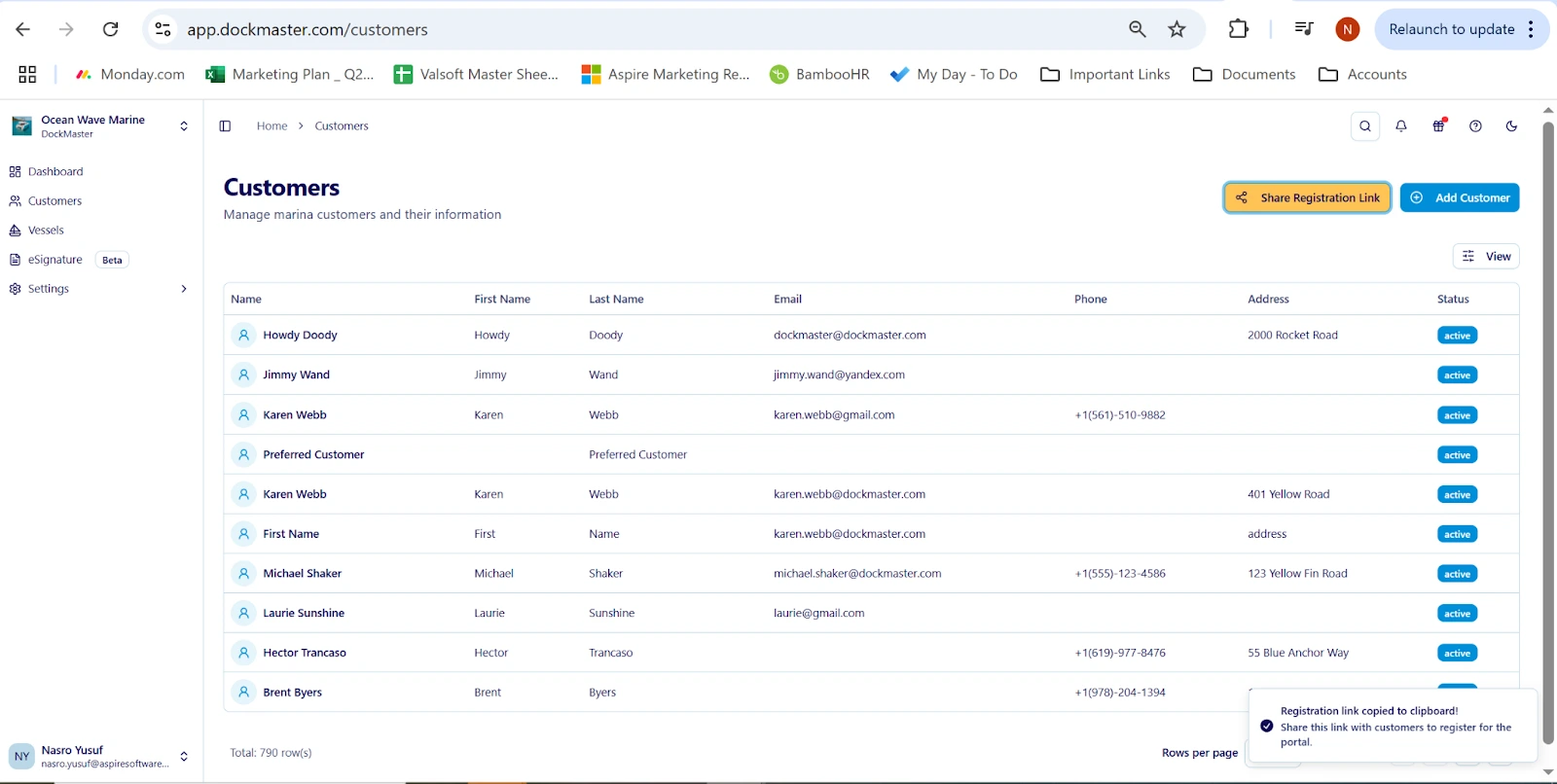
Transient guests often arrive without warning or book same-day dockage. Your team needs a way to collect signed waivers and emergency contact information without requiring users to create an account or download anything.
With DockMaster’s no-authentication signing, your staff can send a secure link to the customer’s phone or email. The guest can click the link, fill out the form, and sign directly from their boat or phone.
This setup works best for:
-
Liability waivers for short-term dockage
-
Safety briefings and emergency contact collection
-
Marina rules acknowledgment during guest check-in
Once signed, the document connects to the customer’s profile automatically, and your team can move forward with slip assignment or billing.
7. Marine Service Workflows Stay Connected From Estimate to Final Sign-Off
Marina service teams deal with more than just signatures. Each job may include estimates, part authorizations, progress photos, final sign-offs, and customer communication.
DockMaster supports end-to-end service workflows by letting technicians collect mobile signatures, attach photos, and update documents from the field. When a customer needs to approve an added part or a time extension, your team can send the updated estimate immediately.
You can:
-
Add required approval fields to estimates
-
Request sign-off on work completion before invoicing
-
Upload photos as part of the job documentation
-
Keep the entire record connected to the service order
Everything stays linked, searchable, and audit-ready inside your DockMaster system.
Why Faster Signatures Create Better Marina Operations
Every time you wait on a signature, the rest of your process slows down. Delays in dockage paperwork, service authorizations, or rule acknowledgments can create backup across multiple departments.
DockMaster's smart notification system keeps every document moving without extra pressure on your team. When you can send documents in bulk, track them live, and automate reminders, your operation gets more predictable and easier to manage.
On average, marine operators using DockMaster’s eSignature workflows recover 16.7 hours per month by reducing time spent on manual document tasks. That time can be allocated to customer service, scheduling, training, or dock management.
And because 83% of customers now expect digital options for signing documents, offering this convenience helps improve satisfaction and loyalty.
Start Using DockMaster's Smart Notification System for eSignatures
You no longer need to constantly check if a document has been signed or wait for a customer's timely response. DockMaster gives your team a complete eSignature system for marinas that sends, tracks, and follows up automatically, so you can focus on running the marina. With real-time tracking, group document distribution, required acknowledgments, and reminders built in, your paperwork finally works on your schedule, not someone else’s.
West Alton Marina, a family-owned facility on Lake Winnipesaukee, transformed its operations with DockMaster. Operations Manager Nathan Shrider credits DockMaster Web and its eSignature tools for streamlining contract processing, mobile dock management, and insurance tracking.
He sees DockMaster as both robust and adaptable, saying, “It’s akin to a classic car: lots of horsepower under the hood, but also the ability to tinker and make it your own.”
"In three days, we sent out all 400 of our unique agreements, and they started coming back immediately," he said. "Within one day, they had already come up with a solution. Three days later, we were sending contracts exactly the way we needed."
Want to try it out? Schedule a walkthrough or reach out to the DockMaster today! You can also explore how-to guides and training resources at https://portal.dockmaster.com.