
The dock is where everything happens first. Boats pull in, customers check availability, staff manage slip assignments, and someone, somewhere, is always asking, “Can you just sign this quickly?”
But if that signature still involves printing a form, handing someone a pen, or emailing a clunky PDF that won’t load on mobile, the whole thing becomes a time drain nobody wants to deal with. This constant back-and-forth turns what should be smooth digital marina operations into a slow, time-consuming task that frustrates both staff and customers.
Modern marina teams deserve tools that match the pace and precision of life on the water. With marina eSignature workflows, DockMaster offers a faster, smarter, and more connected approach to managing contracts, service requests, and compliance documents. This shift from paper-heavy processes to integrated digital systems doesn’t just simplify work. It transforms the dock into a hub of real-time efficiency, where staff can focus on customers instead of paperwork.
The Challenge With Paper Contracts and Basic PDFs

Every marina faces a few familiar challenges that slow things down, no matter how experienced the crew may be. The daily pressure to process slip rentals, service forms, and compliance acknowledgments often leads to long hours and unnecessary backtracking.
Even with the best intentions, traditional processes create challenges that affect the entire workflow.
Here’s where most teams lose time and accuracy:
-
Paper contracts and basic PDFs keep piling up, creating clutter that makes it difficult to track pending signatures.
-
Non-mobile forms make it hard for dockside teams and technicians to collect approvals while working in the field.
-
Disjointed communication between departments leads to misplaced documents, double entries, and frustrated customers waiting for updates.
-
Manual tracking and billing delays force staff to re-enter information that should already sync with existing systems.
-
Limited automation tools stop marina teams from scaling during seasonal surges or managing large volumes of transient dockage efficiently.
Without integrated marina eSignature workflows, even simple agreements take hours to process, resulting in employees working overtime and customers waiting longer than necessary. As marina operations expand, the gap between manual effort and digital efficiency becomes increasingly difficult to overlook.
How DockMaster eSignature Workflows Automate Marina Operations
If your team has ever printed out the same seasonal slip contract fifty times in one week or waited two days for someone to return a signed work order, you already know that doing things manually doesn’t scale when the season hits full speed. The good news is that DockMaster Web brings your entire signature process into one connected system that finally works the way marina life actually functions.
With DockMaster’s marina eSignature workflows, you can manage slip agreements, service approvals, dock rules, and even safety waivers using a system designed for how marinas actually operate day to day. Everything from contract setup to final signature lives inside your existing software environment, eliminating the need to switch between random tools or track documents across inboxes.
Let’s look at how these smart marina automation tools actually work, and how they help speed up everything from slip rentals to service approvals without anyone needing to use a scanner.
1. No-authentication signing for transient or walk-in customers
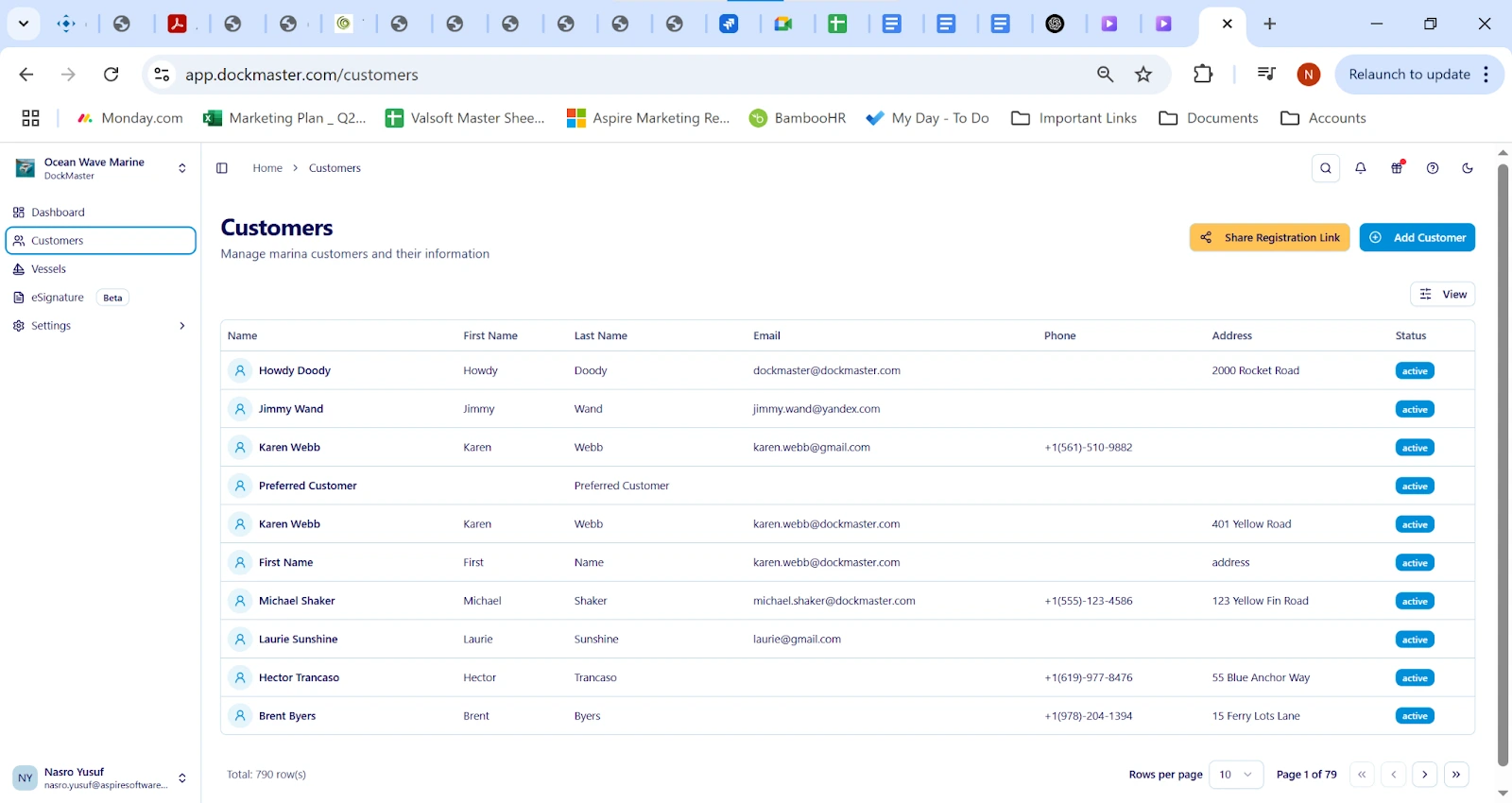
Transient boaters often arrive without prior registration or digital profiles, which traditionally leads to paperwork delays. DockMaster resolves this by enabling dockside signing software that supports instant, no-authentication eSignatures.
Staff can generate a digital form directly from DockMaster Web or DockMaster Desktop, share it via tablet or mobile device, and capture a legally binding signature within seconds. Each document automatically syncs to the central system, attaching customer and vessel data for future reference.
This approach not only reduces turnaround time but also boosts convenience for guests who prefer quick, touchless interactions. In an industry where 83% of buyers now say they prefer completing transactions digitally, this capability sets a new standard for marina hospitality and efficiency.
2. Mobile technician workflows and photo documentation
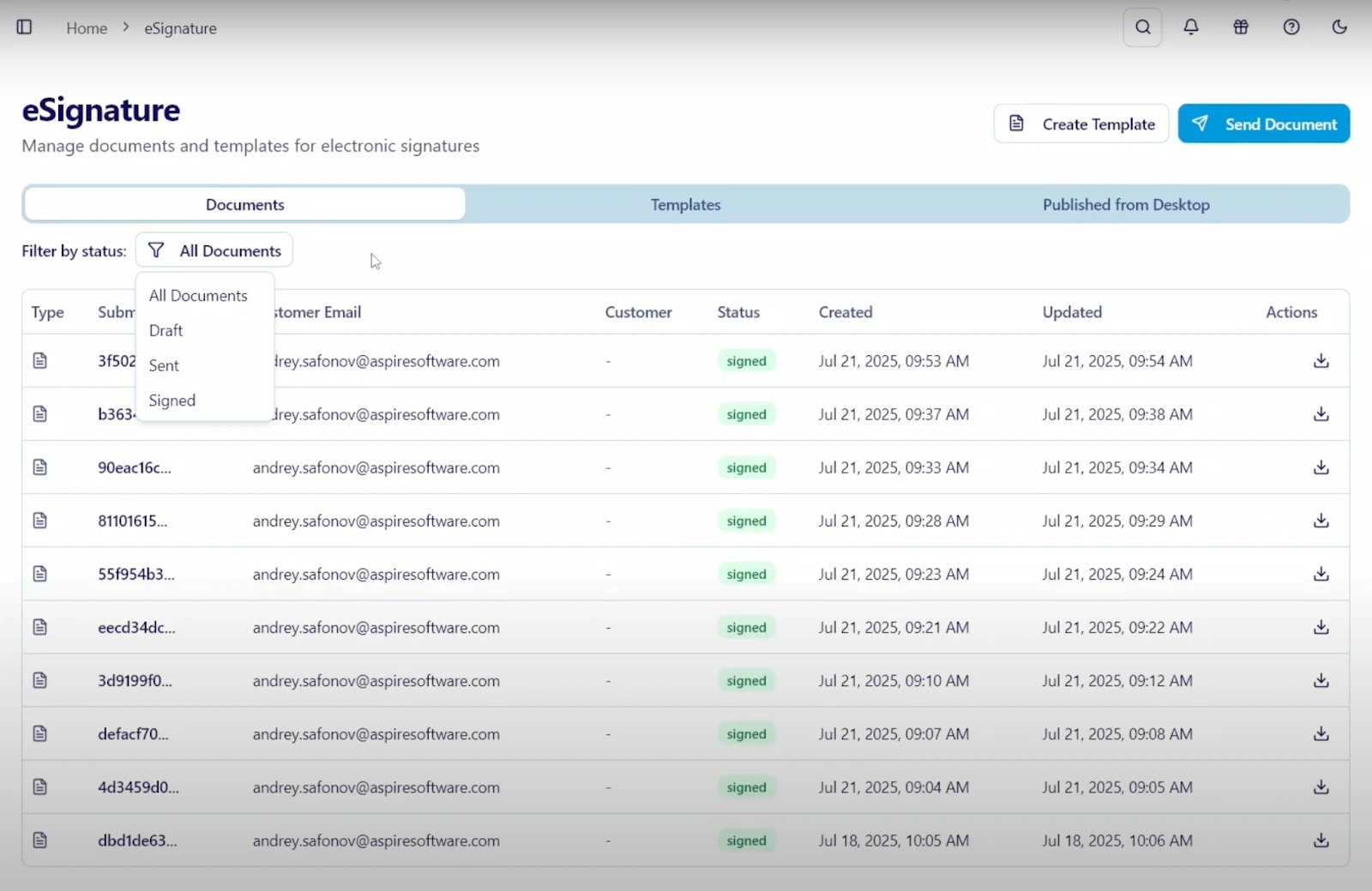
Most marina service technicians are already taking photos, making notes, and checking parts availability from their phones. It makes no sense to ask them to return to the front office just to fill out a paper form or email a service estimate.
With mobile technician workflows, they can now attach photos, mark job progress, and send documents directly from their phone or tablet. That means a haul-out approval or parts authorization can get signed while the boat is still in the lift, not hours later. These mobile-first marina automation tools are helping service departments cut delays without adding more apps or logins.
💡Pro Tip: Use the mobile workflow to get instant sign-offs on completion reports with before-and-after photo documentation. It keeps service records accurate and speeds up billing.
3. Template automation for seasonal agreements
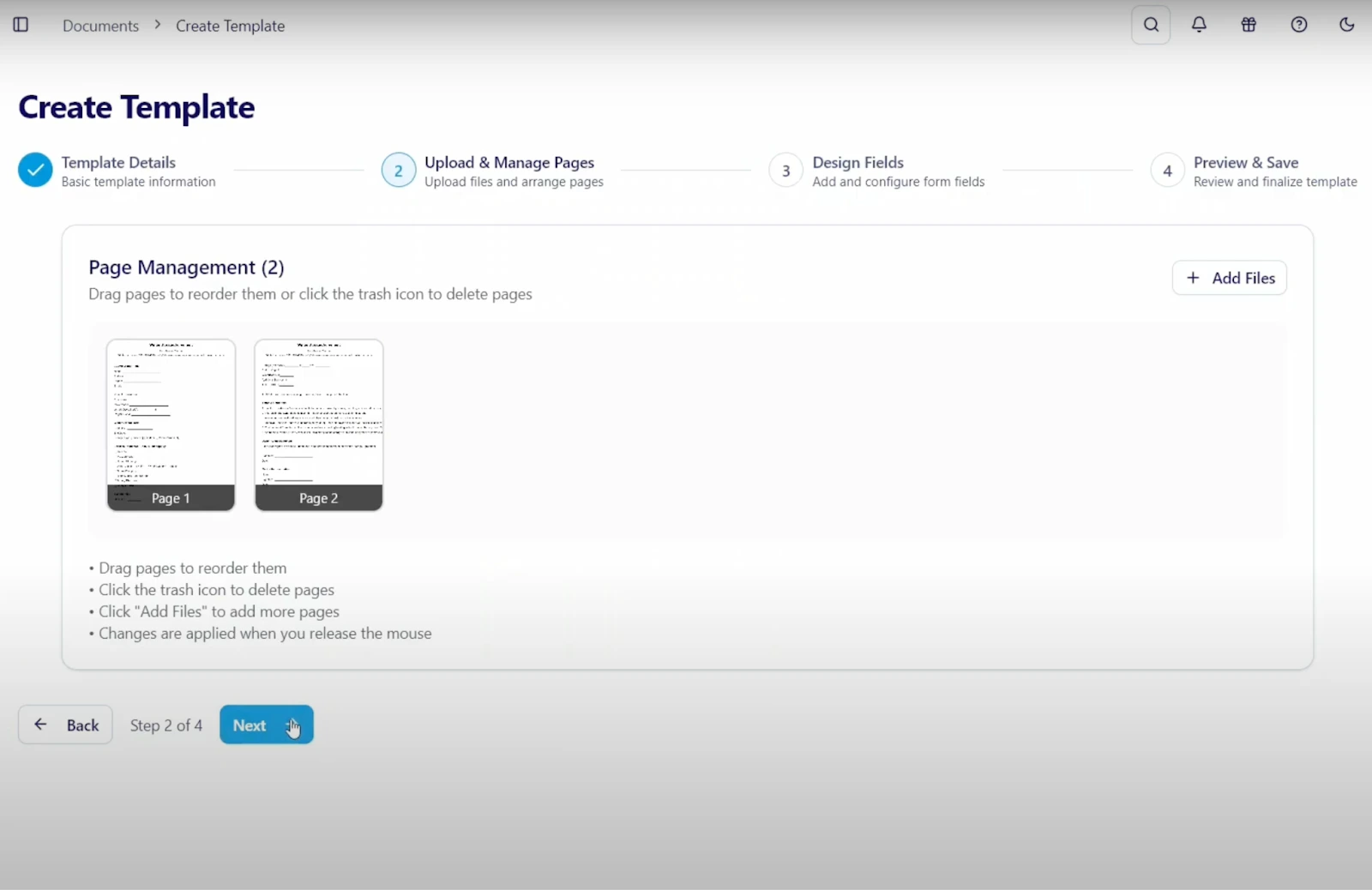
Seasonal contracts are predictable, but that doesn’t mean your staff should be wasting time formatting them every spring. With DockMaster’s template automation engine, marinas can predefine agreement templates, including rates, terms, and compliance clauses, and deploy them instantly through dockside signing software.
When a returning customer renews their lease, the system auto-fills their stored data, eliminating redundant entry and ensuring contract accuracy. Once the marina eSignature workflows capture approval, the signed document syncs directly to customer records, billing, and reporting dashboards.
According to recent studies, businesses using contract automation recovered an average of 16.7 hours monthly, time that can now go toward customer support, scheduling, and other key areas of marina operations.
4. Real-time CRM and billing integration
Nobody wants to retype customer data simply because a form has been signed. With DockMaster’s built-in integration, your documents connect with your CRM and billing tools automatically.
As soon as a slip agreement is signed, customer records update and billing setups begin, eliminating the need for manual entry.
📌 You also get audit trails and secure storage for every signed file, so when questions come up during audits or renewals, your team can find the exact document instantly.
Real-World Use Cases of DockMaster’s eSignature Tools
Marina teams aren’t sitting behind a desk all day, and neither are their customers. That’s why these tools work best when they’re actually used dockside, in service bays, or during quick check-ins.
The best part is that marinas are already using dockside signing software every day to shorten delays, reduce staff pressure, and give customers the fast, mobile-first experience they expect. Here’s how marina eSignature workflows are being used in real marina operations:
1. On-dock slip rentals
During peak season, the front desk shouldn’t turn into a paperwork station. Many marinas are using mobile tools to handle new and returning slip customers right at the dock.
With no-authentication signing, a staff member can pull up the contract on their tablet and send it straight to the customer’s phone. Use this setup when:
-
Returning customers arrive to renew seasonal slip contracts
-
Transient boaters request dockage on the spot
-
Staff need to share rules or waivers before assigning a slip
-
You want to collect emergency contact info immediately
Case in Point: West Alton Marina, a family-owned marina on Lake Winnipesaukee, successfully transformed their slip rental process using DockMaster Web and eSignature tools. Operations Manager Nathan Shrider shares, “In three days, we sent out all 400 of our unique agreements, and they started coming back immediately.” This real-time digital signing eliminated paperwork bottlenecks and streamlined customer onboarding right at the dock.
2. Service completion sign-offs
Marine service teams often lose hours following up on approvals or waiting for paperwork to be returned. DockMaster’s marina automation tools make it easy to collect everything right when the job is being done.
With mobile technician workflows, you can send work order approvals or parts authorizations instantly and receive signed responses in minutes.
Here’s how service centers are using these features:
-
Send digital work orders with required photo documentation
-
Collect haul-out authorizations while the lift is still running
-
Get instant sign-offs when customers approve additional service tasks
-
Trigger billing steps as soon as a service is marked complete
West Alton Marina’s team also benefits from mobile access to work orders and approvals. Shrider notes, “I can pull out my phone, look up bow numbers, and see the latest work orders and docking assignments,” highlighting how mobile workflows improve staff efficiency and reduce delays.
3. Compliance acknowledgments
Safety documents often get overlooked during busy periods, especially if the staff has to email them manually or track who hasn’t signed. With DockMaster’s mass notification system, managers can send policy updates or rule changes to every active customer in one go.
Customers can sign from their phones, and the system tracks who received, opened, and signed each one. This keeps operations compliant without adding extra admin time.
Some of the common use cases include:
-
Emergency protocol updates with required acknowledgment fields
-
Updated insurance or registration requirements tied to slip renewals
-
Auto-linking signed forms to user profiles in the marina management platform
-
Secure cloud storage for all compliance documents
-
Instant reporting visibility for managers and auditors
West Alton Marina leveraged the customer portal feature for insurance management, allowing boaters to upload insurance certificates and receive expiration reminders automatically. This digital compliance system reduces administrative burden and keeps regulatory requirements consistently met.
💡Pro Tip: Combine this with templates and use it to send bundled forms to multiple customers in one step. It saves time and keeps every document connected to the right customer record.
Experience Dockside Digital Signing
If your team is still relying on paper or piecing together emails, there’s a better way to do it. With marina eSignature workflows embedded in DockMaster Desktop and DockMaster Web, teams can finally replace paperwork with precision, transparency, and speed. From billing to service scheduling, every detail flows securely between departments without delay or duplication.
To learn more, visithttps://portal.dockmaster.com for detailed documentation, training resources, and feature updates. If you have questions or need assistance, reach out to our Customer Success Team at [email protected] or book a demo to to experience dockside digital signing with DockMaster.